
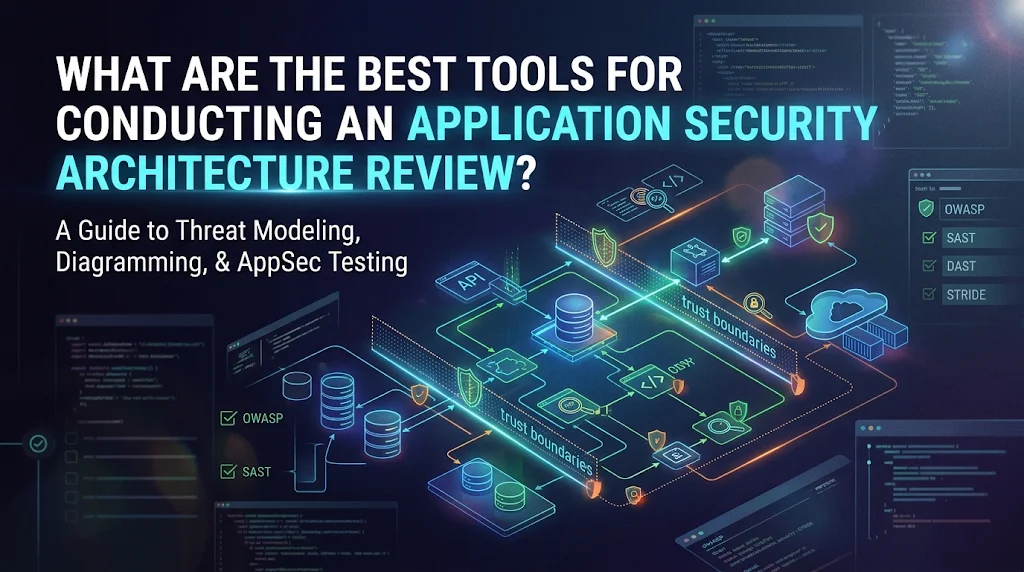
The best tool is the one that can solve architectural issues, and not coding issues. This equates to a threat modelling tool, a way to document and diagram the system, a selection of testing tools (SAST, SCA, DAST and secrets scanning) and infrastructure and cloud review tools. A known standard like OWASP ASVS ensures uniformity throughout the exercise.
Most AppSec tools lists end with scanners. Scanners can be helpful but can only detect bugs in existing code. An application security architecture review has a more exploratory and broader perspective. It asks what is secure about the design itself: where trust lies, where it might go, and what happens when it stops or succumbs to abuse.
The guide describes the tools for each phase of an application security architecture review, the integration of these tools, and how a small or mid-sized business can select a reasonable tool set without having to invest in a platform that it will never use its full capacity. If a tool is mentioned, it is not an endorsement or a ranking, but merely an example of the type of tool. See our application security architecture review service if you prefer to get them to review it for you.
What is an application security architecture review?
An application security architecture review is a structured evaluation of the design, development and deployment of an application to identify potential security vulnerabilities before they become incidents. It covers the entire system: components, data flows, authentication and authorization, third party services, hosting and trust relationships between the components.
It is not a penetration test or code scan. A test determines if there is a weakness that can be exploited today. An architecture review is a filter to ensure that there are not classes of weaknesses in the design. The OWASP Top 10 acknowledges this distinction because it has a category for insecure design (D1) that is different from insecure implementation
What a review typically covers
- Trust boundaries and data flows: Where untrusted data enters and sensitive data flows or resides.
- Information security: How information is kept safe.
- Data protection: Encryption in transit, encryption at rest, key management, data retention.
- Application dependencies and tracking of dependencies (via third-party or open-source parts)
- Infrastructure and deployment: Cloud configuration, network segmentation, containers and pipelines.
- Logging, monitoring and recovery: if an attack would be detected and abated.
When to run one
Conduct an application security architecture review prior to a major release, following a major redesign, when transitioning to the cloud, upon a major integration, and where a customer, regulator or auditor requires evidence of secure design. Many teams repeat it annually for critical systems as well.
A hands-on workflow for an Application Security Architecture Review
Tools are only useful within a defined process. This process is easy enough to be done by an SME, and tough enough to be audited.
1. Determine scope & assets: List the application, its data classes, users and the business impact of a breach. Tools: A diagramming tool and an asset inventory.
2. Document the architecture: Create an up-to-date data flow diagram displaying components, trust boundaries and external services. Tools: diagram-as-code or standard diagramming tools.
3. Model the threats: Walk through each component and data flow using a method like STRIDE, and note how it could go wrong. Tools: a threat modeling tool.
4. Inspect controls in relation to a standard: Compare a design with OWASP ASVS, and document the differences. Tools: Checklist or a spreadsheet that is aligned with the standard.
5. Validate with testing: Confirm or challenge the Design Review using SAST, SCA, DAST, secrets scanning and infrastructure scanning.
6. Rate and report: Prioritize the results of the ranking and draft recommendations that can be implemented by the engineering team.
7. Fix and re-check: Re-check after significant changes, for track remediation.
Please note that all testing tools are only mentioned in step five. The first step to a good application security architecture review is understanding, not scanning.
A Threat modeling and Architecture documentation tools
This is the core of any application security architecture review. If there is no factual understanding of the system, then this is an iterative process without a map.
Threat modeling tools
Threat modeling tools can be used to draw the system, to apply a method like STRIDE and to keep record of threats and mitigations. OWASP Threat Dragon project page is a good place to start exploring.
- OWASP Threat Dragon: Free and open-source threat diagrammer and recorder. An excellent beginning for small group work.
- Microsoft Threat Modeling Tool: a free desktop tool based on STRIDE. It creates a threat list based on the diagram, but works only on Windows systems.
- OWASP pytm and Threagile: Open-source options that describe the architecture as code, and allow the threat model to be placed in version control alongside the application.
- Commercial Platforms (IriusRisk and ThreatModeler): These offer libraries of threats and countermeasures, workflow and reporting. They are suitable for bigger programmes that have numerous applications.
For most SMEs, the free tool and the disciplined process are preferable to an expensive platform that nobody maintains. We perform a modeling of threats as part of our application threat modeling service; if your team hasn’t modeled threats before, we can conduct the first modeling session with you.
Architecture diagramming and documentation tools
Threat modeling can only be as good as the accompanying diagram. Search for tools that allow easy updating of diagrams.
- Data Flow Diagram: diagrams.net (draw.io) is a free and flexible diagramming tool that can be used for data flow diagrams.
- Structurizr: C4 model and diagrams as code that keep architecture documentation close to the source.
- Collaborative diagramming for teams already using it: Lucidchart and similar tools.
In either case, make sure to specify the boundaries of trust and identify what data goes over each boundary. That single habit in and of itself enhances the entire architecture review for the application.
Application security testing tools that allow the review
Application security testing tools are not a substitute for the design review. They provide them with proof. To validate that the architecture paper and the system in production are aligned.
SAST: Static application security testing
SAST tools analyze source code without running it. During an architecture review, they are used to ensure that the security-critical patterns, such as input validation, authentication checks and cryptographic calls, are applied consistently. Automated results require expert triage, this is where a manual secure code review can add value.
- Semgrep: open source engine that can be customized with rules, which is helpful for project-specific design rules.
- SonarQube: a widely-used code quality and security platform available as a free community edition.
- CodeQL: GitHub’s code analysis engine. Free for public repositories, with query-based analysis that can trace data flows.
- Checkmarx: Commercial enterprise SAST platform.
SCA: software composition analysis
Mostly third-party code is used for modern applications. SCA tools locate vulnerable and outdated parts and many create a software bill of materials (SBOM).
- OWASP Dependency-Check: Free dependency-scanner tool that checks for known vulnerabilities against dependencies.
- OWASP Dependency-Track: Platform that continuously monitor components from SBOMs.
- Syft and Grype: open-source tools to create SBOMs and scan them for exposed vulnerabilities.
- Snyk: Commercial platform with developer-friendly workflows.
API and DAST testing
DAST tools test an application as it is running from the outside, which means they will be able to tell you what they will be able to see in the event of an attack: misconfigurations in the application headers, exposed application endpoints, and weak session handling.
- ZAP (Zed Attack Proxy): Free and Open source Web Application Scanner & Intercepting Proxy.
- Burp Suite: Professional-grade web testing toolkit from PortSwigger, with Community and Professional editions.
Make sure to test against the OWASP API Security Top 10 list and compare the API definition against the actual service being tested. A dedicated API security assessment is more comprehensive than a basic scan.
Secrets scanning
Hard coded credentials are architectural red flags. They frequently blame on poor secret management. There are open-source scanners like Gitleaks and TruffleHog that scan repositories and history for exposed keys and tokens.
How to read the results
A scanner finding is a sign. When reviewing an application’s security in its architecture, ask yourself what the finding implies about the design. Results from repeated injections indicate low input handling in a common layer. There are a lot of old dependencies with no ownership of the updates.
Infrastructure, container and cloud review tools
The application is only as secure as the environment in which it is running. Thus, a full application security architecture review requires a review of the hosting layer, as well as the code.
- Trivy: Open-source container image, file system, dependency and infrastructure-as-code scanner. It’s a very handy, multipurpose small team option.
- Checkov and KICS: Open source scanners to scan Terraform, CloudFormation, Kubernetes manifests and more for insecure settings before deployment.
- Kubescape: Validates Kubernetes clusters and manifests against known hardening rules.
- Prowler and ScoutSuite: Open-source tools for auditing AWS, Azure and Google Cloud configurations for risky settings like open storage or permissions.
- CIS Benchmarks: not a tool but the configuration guidance tested by most of these scanners.
The tools are important because so many serious flaws are architectural. A database that can be accessed via the Internet, an overly permissive cloud role and a build pipeline with shared credentials will not be detected in a code scan, but each of these can compromise strong application controls. A cloud infrastructure assessment is a good next step to take if you want to learn more about your hosting layer.
Standards and frameworks to maintain consistency of the review
A tool reveals what is there. A standard provides you with a description of good. Secure all application security architecture reviews to one of these.
- OWASP Application Security Verification Standard (ASVS): An extensive list of security requirements for web applications and services, sorted by area and verification level. It can be used as the checklist for step four of the workflow.
- OWASP SAMM: A maturity model designed to measure and enhance software security practices over time for organizations.
- NIST SP 800-218 (Secure Software Development Framework): A collection of secure software development practices, well known by many customers and regulators.
- STRIDE: A classification of threats that include spoofing, tampering, repudiation, disclosure of information, denial of service and elevation of privilege. Provides structure for a threat modeling session.
- OWASP Top 10 and OWASP API Security Top 10: Awareness lists of the top most critical risks, which can be helpful for prioritising the risks to analyse first.
- CIS Benchmarks: Secure configuration guidance for operating systems, cloud platforms and common software.
The final report will be much easier to justify to auditors, customers and insurers when using a recognized standard. The complete requirements are available from the OWASP ASVS project page and the NIST SP 800-218. If you want to know how well your wider programme is progressing, then you should try an OWASP SAMM assessment.
Which tool answers which review question?
Match the question to each category of tool in this table to match the application security architecture review question with the tool category.
| Tool category | Review question it answers | Example tools | Free option available |
| Threat modeling | What could go wrong in the design? | OWASP Threat Dragon, Microsoft Threat Modeling Tool, IriusRisk | Yes |
| Diagramming | What does the system look like? Where are the trust boundaries? | diagrams.net, Structurizr | Yes |
| SAST | Is code written using secure design patterns? | Semgrep, SonarQube, CodeQL | Yes |
| SCA and SBOM | What are the third parties that we rely on and are they safe? | Dependency-Check, Dependency-Track, Syft, Grype | Yes |
| DAST and API testing | What does an attacker have access to and can reach in the running system? | ZAP, Burp Suite | Yes |
| Secrets scanning | Are credentials stored safely? | Gitleaks, TruffleHog | Yes |
| Infrastructure and cloud | Does the hosting environment have the appropriate infrastructure and cloud measures in place? | Trivy, Checkov, KICS, Prowler, ScoutSuite | Yes |
| Standards | What is good and where are the gaps? | OWASP ASVS, OWASP SAMM, NIST SP 800-218 | Yes |
Selecting the right tools for your business
The more tools, the poorer application security architecture review is. The right set of tools is based on size, stack and risk.
Use these questions to get started:
- What are you protecting? Payment and personal data-handling systems require more in-depth analysis than brochure sites.
- Who will use the tools? Without a tool that developers will use, it’s a waste. Look for ones that will fit the current pipeline and workflow.
- What is your stack? Ensure your languages, frameworks and cloud provider are supported by each tool.
- What must you prove? When a customer or regulator demands evidence, use tools that have output data that correlates with the standard that they use.
- What can you maintain? Free tools are free to purchase, but someone’s job is it to run, tune and triage them.
A sensible baseline toolset for an SME
With a small team, you can get the basics from a short list: A free threat modelling tool, a diagramming tool, one SAST option, one SCA option, ZAP for DAST and a secrets scanner and an infra scan like Trivy. Only add commercial platforms when there is a volume, reporting or compliance reason to do so.
Open source or commercial?
There are lots of good open-source tools available for coverage and cost. Commercial platforms typically include support, dashboards, integrations and consolidated reporting. Both are not necessarily better. It is important to get findings to those who can make a change.
Common mistakes in an application security architecture review
- Starting with scanners: Too many tools run without design lead to long lists of low value finds.
- Using outdated diagrams: Threat modeling, based on previous architecture, ignores new services and integrations.
- Ignoring business context: The urgency of the finding is only as important as the asset to be found.
- Considering the actual tool output as the report: Raw scanner results must be validated, de-duplicated and prioritized.
- Avoiding the infrastructure layer: Architectural risks are cloud and pipeline misconfigurations.
- Once seen, Once forgotten: Architectural changes are frequent and therefore reviews must be repeated when there are significant changes.
- No owner for fixes: Unassigned investigations with a due date almost never go closed.
How Secure Wave Advisors can help
A good review isn’t half done without tools. The other half is experience: an understanding of what is important, what design compromises are allowed, what the team can realistically change.
Secure Wave Advisors is a cyber security consulting firm that enables SMBs to identify and rectify cyber security gaps without enterprise budget. Our work is driven by a consultant with 13+ years’ experience in security auditing, risk management and vulnerability assessment in banking, fintech and defence, and holding CISSP, CEH and HTB CPTS.
In performing an application security architecture review, we can:
- Generate architecture, data flows and trust boundaries map.
- Hold a formal threat modelling session with developers.
- Evaluate your design based on an OWASP standard like OWASP ASVS.
- Test and configure design with targeted tests and checks.
- Provide a prioritized report that can be acted upon by your team with clear owners and next steps
When you are planning to launch or fill out a customer security questionnaire or audit, reach out to us, we will scope an application security architecture review for your application. Still undecided? Complete our free AppSec assessment.
Frequently asked questions
What is the difference between an architecture review and a penetration test?
A penetration test is an attempt to take advantage of vulnerabilities in a system that is already in operation. Architecture review is the process of reviewing the design to identify structural risks; some of these may never be encountered during a test. The two go together.
Will free tools make for a proper review?
Yes. The workflow is covered by most of these tools which are all free to use: Threat Dragon, diagrams.net, Semgrep, Dependency-Check, ZAP, Gitleaks and Trivy. It is not the tools that are important, it’s the process that is important.
How frequent should we conduct an application security architecture review be?
Do one before big launches and after major changes like a new integration, moving to the cloud or redesigning authentication. Many teams also conduct an annual review for critical systems.
Are scanners a substitute for a manual review?
No. Scanners discover known weaknesses. They have no way to tell if a trust boundary is at the correct position or if a business process can be misused. This judgment is of the people.
Which standard should we use?
OWASP ASVS is a good default for web apps and APIs. If you must demonstrate secure development practices to customers or regulators, then map your work to NIST SP 800-218 as well.
Who is to be involved in the review?
Have an architect / lead developer, someone familiar with the business process, infrastructure / DevOps Engineer, and security specialist. They present different risks given their different perspectives.
Conclusion
The best tools for an application security architecture review work as a system. Threat modeling and diagramming tools illustrate the structure of the application. Tests give evidence. Infrastructure scanners are used to scan the environment. Work is consistent and defendable with the aid of standards like OWASP ASVS.
Begin small, follow the process and concentrate on the design questions rather than the output from the scanner. A lean toolset will provide you with a stronger application security architecture review than a large footprint that nobody has time to maintain. Need an experienced partner? Discuss an Architecture Review tailored to your application, team and budget requirements with Secure Wave Advisors.